benlong
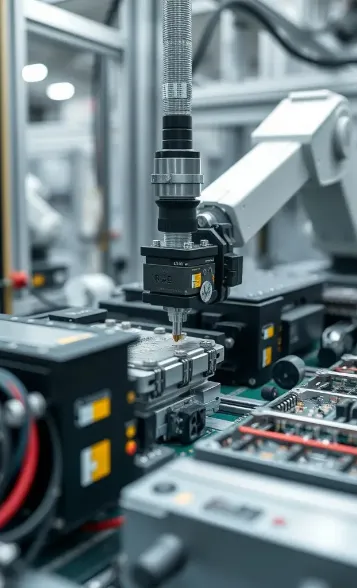


What Is an MCB Indicator Flag Automatic Pad Printing Machine?
By Huang Xiaolei | Release Time: 2026-06-28
The automatic pad printing machine used for the MCB indicator flag prints the small flag that indicates the current status of the miniature circuit breaker. Once the flag is printed, it will show whether the contacts are open or closed. The flag is a small molded plastic piece which needs to be printed in two colors that must be applied in the right positions. In this article, we will discuss the MCB indicator flag, the benefits of using pad printing, and how an automatic pad printing machine does the entire operation without any operator assistance.

What Is an MCB Indicator Flag and Why It Needs Two Colors
The MCB indicator flag, which can also be referred to as the ‘ON/OFF indicator’, ‘status flag’ or ‘trip flag’, is a small molded slider that is linked to the mechanism of the breaker in question. It acts like a visual representation of the action of the contacts opening and closing and gives a different color appearance in the window of the MCB based on the position of the slider. There is hardly any other method of determining the position of the switch used by an electrician other than using this method.
- The flag moves in accordance with the movement of the disbreaker, which means that it shows if the contacts are made or broken.
- A green indicator flag area shows when the breaker is closed and carrying current — green = ON.
- A red indicator flag area shows when the breaker is open, switched off or tripped — red = OFF.
- Both of the blocks of color are on a little space right next to each other, always on a slope or step, which is what makes its application so accurate.
Due to the fact that the flag is a product of the injection mold process, coloration is not obtained from the plastics themselves, but from the process applied after the plastic is formed and is called coloring process. (For how the housing and small parts around it are tooled, see our walkthrough of the MCB injection mold development process.)

Why Pad Printing Is the Right Process for Indicator Flags
The process of pad printing entails the application of ink from a plate (which is known as the cliché) using a flexible material called silicone rubber. The silicone pad picks up ink from the plate, and then presses against the substrate into which the coloring has to be introduced. This is the defining characteristic of the pad printing process: because the label is ultimately a small-step shape with insides that cannot always be reached by other methods, pad printing wins hands down.
Both screen printing and inkjet requires a flat surface. However, this is not possible in flag printing. A silicone pad wraps around and will create clean and distinct prints. As a result, MCB flags are typically printed using pad printing machines.
How the MCB Indicator Flag Automatic Pad Printing Machine Works
The primary goal of the automatic pad printing machine is to convert the part from bulk to printed-and-sorted without involving any manual operation. The operations on this machine are completed in a total of five stages:
- Vibratory bowl feeding entails putting flaps in bulk into the feeder bowl, which helps to orient and separate them so that they do not end up being dumpted upside down.
- Inline conveying refers to the fact when the linear track transports the oriented flags toward the printing fixtures in a constant flow which moves with indexing system.
- Fixture loading – any flag is dropped into a precision nest, which secures it in a constant position; repeatability of the nest determines if the two respective colors are registered properly.
- The dual-color pad printing process works by having one flag pass through two different stations in order to create the green and red color respectively.
- Unloading — finished flags are ejected into the output bin, ready for the breaker assembly line.
The whole process has a pneumatic system that runs automatically without the need for any personnel to work on the machine, thus ensuring steady production from the machine without a worker.

Two-Color Registration: Printing Green and Red in One Cycle
Registration is said to happen when the two colors are printed on top of one another, with neither overlapping nor leaving any white space in between. The parts of the indicator flag that are printed in green overlap with those that are printed in red, which makes any slight misalignment obvious.
The machine operates in three different ways: first, with a repeatable fixture nest system that ensures each flag is positioned in the same spot; second, through an indexed transfer system that moves the flag by a specific distance between the green and red heads; and third, with an independent setting system whereby the two heads can be adjusted separately. Once the registration has been done properly, the printed material will continue to be the same for the entire job.
Key Technical Specifications
The configuration below is typical for an MCB indicator flag automatic pad printing machine built around a sealed ink cup pad printing head:
| Parameter | Specification |
|---|---|
| Drive | Pneumatic |
| Max. printing size | Φ < 80 mm |
| Printing ink cup size | 90 mm |
| Printing capacity | < 3,400 cycles / hour |
| Front & back working stroke | 125 mm |
| Printing pad air pressure | 1,178 N (6 bar) |
| Air requirement | 6 bar |
| Noise factor | < 90 dB |
| Main voltage | 110 V / 220 V, 50/60 Hz, 35 W |
The Sealed Ink Cup System and Print Consistency
With this machine, a sealed ink cup is used compared to an exposed ink tray. The 90 mm cup works backside up over the engraved plate and brings the ink in and out of the engravings momentously to maintain the ink-covered plate even during the passage of time.
An open system, however, is more open, allowing solvents to evaporate, which causes color variations, necessitating constant re-thinning by the operator. The closed container also allows for much less wastage of ink and keeps the work station much cleaner, as larger Φ < 80 mm images do not occupy all the space on the printer head and still keep the 90 mm cup filled.
Throughput, Air and Power Requirements
With a rating of less than 3,400 cycles per hour, this machine can easily keep up with a single cell of breakers. The machine operates fully on air; thus, the only maintenance required is ensuring that the air supply is clean and compressed:
- Air is needed at a pressure of 6bar to achieve a downforce of 1,178 N in order to achieve full and uniform air transfer.
- The working stroke is 125 mm, which is adequate for the pad to overcome the cliché and access the part.
- 110 V / 220 V power – 50/60 Hz, controlled by only 35 W electricity — the electric parts control sensors and engines, but they don’t actually drive printing.
- Noise levels are less than 90 dB and common for a pneumatic auto pad printer but still warrants the use of hearing protection by persons near the printer operator.
Quality Control and Common Pad Printing Defects
Even a well-built circuit breaker indicator flag printing machine only stays in tolerance if the process around it is controlled. The defects to watch for on a two-color flag are predictable:
- Poor ink adhesion — many flag plastics (PA, PBT, POM) need surface pre-treatment such as flame or corona before the ink will key; skip it and the print rubs off in handling.
- Registration error — green and red overlapping or showing a gap, usually traced back to fixture wear or an indexing drift.
- Incomplete transfer — faint or broken marks from low pad pressure, a worn pad, or ink that has thickened in an unsealed cup.
- Smudging — the first color picked up by the pad on the second strike when cycle timing leaves too little flash-off between green and red.
Most of these are setup or maintenance issues rather than machine faults, which is why a stable sealed ink cup pad printing head and a disciplined first-article check at the start of each run matter so much.
Integrating the Machine into MCB Production
The printed flag is one feeder part among many on a breaker line. Once printed and sorted, the flags move downstream to be installed during breaker assembly, so the MCB indicator flag automatic pad printing machine usually sits just upstream of, or feeds into, an MCB automatic assembly line. Matching the printer’s output to the line’s takt keeps printed flags flowing without a buffer pile or a starved station.
Frequently Asked Questions
What is an MCB indicator flag?
The small molded indicator inside a miniature circuit breaker is used to indicate the switch states through the window view on the circuit breaker front. It is connected to the working mechanism; thus, it shows green when the circuit breaker is ON (closed) and red when it is OFF or tripped.
Why use pad printing instead of screen printing for indicator flags?
It is a compact and a 3D shaped flag that usually comes with colored face with steps. Due to the geometry of the flag, silicone pad can easily result in a very clear mark since the flat option is not capable of matching up properly with the flag’s design.
How fast is the MCB indicator flag automatic pad printing machine?
It has a cycle rating of less than 3400 cycles per hour. Since the operation of feeding, printing, and unloading is done automatically, the throughput is consistent throughout the operation rather than just peak, which is sufficient to get one breaker assembly operation done at a time.
Can the machine print both red and green in one pass?
It’s true. The flag goes through two printing heads — one for the green block and another for the red one — hence both colors of the two-color flag are done with the same cycle of the indexing process.
How do you keep the green and red registration accurate?
Registration relies on a repeated fixture nest, a specific distance between heads. After both heads are aligned, they are set at a predetermined distance one from the other, which will not change during the printing job. Drift is indicative of fixture wear.
What air and power supply does the machine need?
It is supplied with compressed air at a pressure of 6 bar and it also provides pad pressure of 1,178 N; the device works on 110 V/220 V, 50/60 hz at 35 W. The operation is entirely pneumatic in nature, with its main operating requirement being the feed of steady and clean air.
References
- Pad printing — Wikipedia — background on the pad-transfer process, clichés and sealed ink cups.
- Circuit breaker — Wikipedia — context on miniature circuit breakers and what the ON/OFF indicator shows.
- Inkcups — industry resource on pad printing equipment, sealed ink-cup technology and inks.
Conclusion
A purpose-built MCB indicator flag automatic pad printing machine turns a fiddly, two-color decoration job into a hands-off, repeatable step. The value is in the details that are easy to underestimate — a feeder that orients every flag the same way, a fixture that holds registration, a sealed ink cup that keeps green and red consistent shot after shot, and enough pad pressure for ink that stays put through assembly. Get those right and the two-color pad printing of ON/OFF flags stops being a bottleneck and becomes one more quiet, dependable stage in breaker production. If you are planning the wider line, see how printed flags feed into an MCB automatic assembly line, or contact Benlong Automation to spec a printer for your own indicator flag.